

01RUN
Plug-and-play SAP workflows
Start without designing from scratch, from dump and request analysis to functional and technical specification writing.

SAP + ARTIFICIAL INTELLIGENCE · ENTERPRISE
NeKu AI connects your SAP systems to the AI tools your teams already use. Query business data, run permitted SAP actions and search SAP documentation from Claude Code, Codex, SAP Fiori, SAP GUI or agents you build in Flow Builder. SAP authorizations apply to every call.

Trusted by leading SAP partners and enterprise customers


We’re part of the OpenAI Partner Network.
NeKuDos Teknoloji, the company behind NeKu AI, is a member of the OpenAI Partner Network.01 / ASK SAP
Write the question the way you would ask a colleague. The agent picks the SAP tool, runs it within your authorizations and returns a table, a summary or a change that waits for approval.
SAP Data PRD · read-only
SAP Data · find the sales order serviceSAP Data · read API_SALES_ORDER_SRVAlso try
SAP Actions PRD → DEV · development mode
SAP Actions · short dumps on PRDSAP Actions · read ZSD_PRICING_EXITApproval required Development mode
Change ZSD_PRICING_EXIT in DEV and record it on a new transport.
Also try
SAP Docs SAP Docs
SAP Docs · ABAP release availabilitySAP Docs · ABAP keyword documentationAlso try
Flow Builder Flow Builder · draft
Flow Builder · new flowAlso try
02 / WHO IT'S FOR
Each role connects with its own SAP user, so each person sees only what their SAP authorizations allow.
SAP Data
Get sales, stock and purchasing figures in one sentence instead of waiting for a report.
For example
Fiori and SAP GUI chatbot
Ask why a Fiori or SAP GUI screen shows an error and how to fix it, or which app to open, without leaving the screen.
For example
SAP Actions
Review dumps, transports, background jobs and locks, and compare DEV, QAS and PRD in one conversation.
For example
SAP Actions + Docs
Search code, run checks and unit tests, inspect CDS views and plan RAP applications with SAP documentation at hand.
For example
Digital SAP Consultant
Analyze error messages, answer users' SAP questions and prepare specifications with ready workflows.
For example
Flow Builder + n8n
Build custom agents in Flow Builder, connect SAP to n8n and run NeKu AI in the cloud or on-premise.
For example
03 / SAP + AI
NeKu AI combines the speed of ready-to-run SAP workflows with the flexibility of custom multi-agent systems.
Start without designing from scratch, from dump and request analysis to functional and technical specification writing.
Give AI agents controlled access to SAP data and documentation so answers remain grounded in enterprise context.
Move beyond answers by making SAP actions part of a workflow within the configured access mode and user permissions.
Use Flow Builder to combine your data sources, models and approval steps when a process goes beyond a ready-made workflow.
04 / IN ACTION
A three-minute demo: the NeKu AI chatbot answers business questions with live SAP data inside the Fiori Launchpad.

05 / MCP
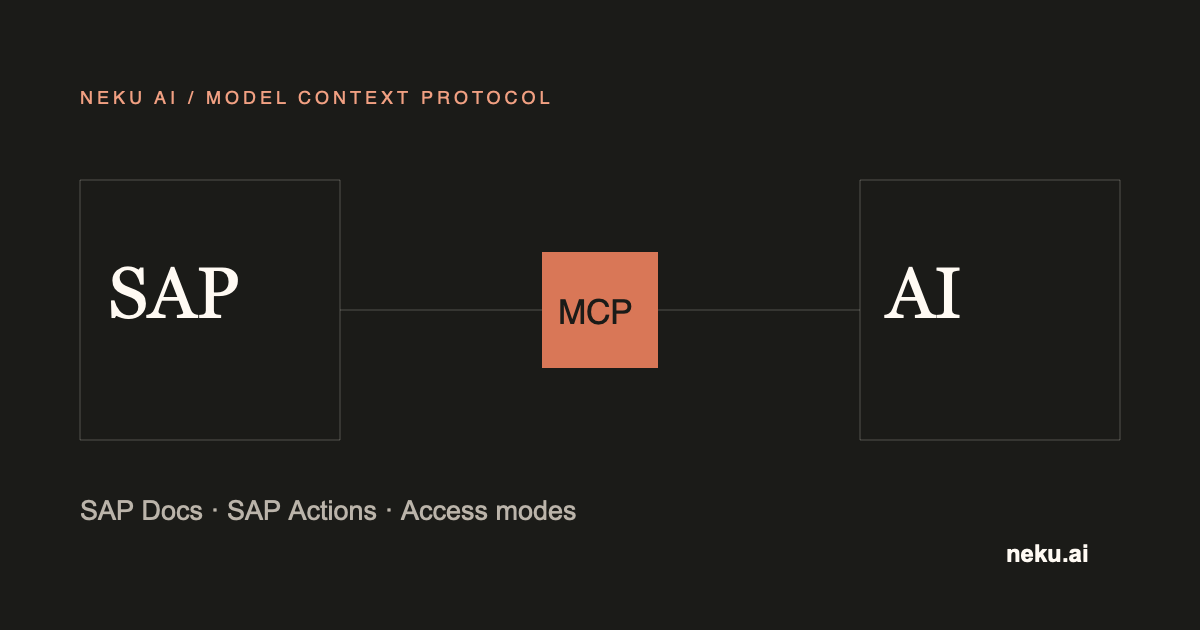
NeKu AI publishes SAP Data, SAP Actions and SAP Docs as MCP servers. Connect Claude Code or Codex, and your agent can query business data, run permitted SAP tasks and cite SAP documentation within your SAP authorizations.
Compare transport DEVK900812 between QAS and PRD
SAP Actions · inspect the transport
SAP Actions · compare QAS and PRD
3 of 14 objects differ in PRD. Sensitive values are masked in the output.| Server | What it does | Example tasks | Access |
|---|---|---|---|
| SAP Data | Read-only business data through the OData services your organization enables. | Open sales orders, overdue purchase orders, stock by plant | Read only |
| SAP Actions | ABAP objects, transports, short dumps, background jobs, authorizations and cross-system comparison. | Summarize short dumps, compare a transport across systems, schedule a job after approval | Read-only, development or full control |
| SAP Docs | SAP documentation, SAP Community, SAP Discovery Center and ABAP release availability. | ABAP release checks, RAP how-tos, SAP Community answers | Read only |
| Yargı | Turkish legal research with sources, independent of SAP. | Court of Cassation, Council of State, KVKK and Public Procurement Authority decisions | Read only |
Explore SAP MCP Server →Connect Claude Code and Codex →n8n SAP Connector →
06 / TWO WAYS TO START
Choose a ready workflow for common SAP work, then extend the same platform into a custom multi-agent architecture for enterprise-specific processes.
Explore SAP AI solutions →
Start with the analysis, documentation, consulting or action workflow that matches your SAP task.

Define the target system, user credentials and access mode so the workflow operates within enterprise policy.

Launch the workflow from chat, then add business rules, data sources or human approvals in Flow Builder when needed.
07 / PLATFORM
Ready workflows with a defined purpose, input and output for recurring SAP work.
Orchestrate multiple agents, models, tools and approval steps around an enterprise process.
Choose a managed cloud service or an on-premise deployment to match security and infrastructure needs.
08 / FREQUENTLY ASKED QUESTIONS
NeKu AI is an enterprise AI platform that brings ready-to-run workflows, custom multi-agent systems, enterprise data sources and models into one workspace.
The workflow logic and task steps are ready. Before use, the SAP connection, user credentials and permitted access mode are configured to match enterprise policy.
Yes. Data sources, models, business rules and human approval steps can be tailored in Flow Builder.
Yes. The platform can be deployed as a managed cloud service or on-premise based on your infrastructure and security requirements.
MCP-compatible clients connect to the NeKu AI SAP MCP servers. Ready workflows and Digital SAP Consultant run in app.neku.ai, the chatbot runs inside SAP Fiori and SAP GUI, and Flow Builder agents combine SAP data with models and approval steps.
SAP ECC EHP8, SAP S/4HANA 1809 and SAP S/4HANA 2023 are supported connection targets. Several systems, such as DEV, QAS and PRD, can be connected as named systems.
Yes. SAP authorizations apply to every call. SAP Data queries run with the calling user's own SAP identity, and the read-only, development or full-control access mode limits which SAP Actions tasks are available.
SAP Data only reads. Changes through SAP Actions are possible only in an access mode that allows changes and only within the connected user's SAP authorizations.
BLOG / LATEST
 SAP
Compare SAP MCP options by pros, cons and cost: Integration Suite MCP Gateway, SAP Build, AWS for SAP, open source and NeKu AI for ECC and S/4HANA.
SAPPrepare to use SAP MCP with Claude Code and Codex. Explore supported clients, access requirements and your first demo task.
SAPAnswer SAP business-data questions with MCP and OData. Explore use cases, user permissions and a read-only demo evaluation.